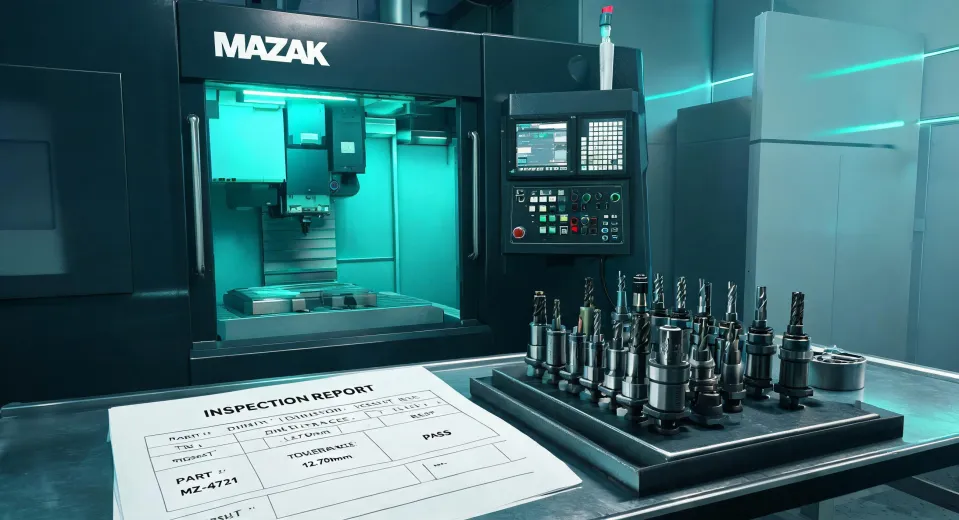
If you're trying to figure out which CNC machine to buy — new or used, Mazak or something else, with laser or without — I'll save you some time: there isn't one right answer. It depends entirely on where your shop is right now, what you're cutting, and who's waiting on the parts.
I've been managing purchasing for a mid-sized manufacturing company since 2020. I process roughly 60–80 orders a year across equipment, tooling, and consumables, and I report to both operations and finance. I've seen purchases from both angles: what the shop needs and what the budget can survive.
I've made good purchases. I've also made a few I'd rather forget. Here's what I'd tell you, broken into the three scenarios I see most often.
Before we get into it: the three scenarios
The questions I hear from colleagues and vendors come down to three buckets:
- First machine. You're buying your first CNC or expanding into machining, and you're weighing new vs. used.
- Laser cutting. You're deciding between laser and traditional cutting — or trying to make sense of the search terms.
- Tooling and process. You have the machine, and you're trying to make it faster with the right end mills and spindle speeds.
Not sure which one you're in? Skip to the end — I'll give you a quick way to sort it out.
Scenario 1: Buying your first Mazak CNC machine
Look, I get it. The first machine purchase feels huge because it is huge. I've been at the table for three major machine purchases, and the decision always comes back to one fork: new or used?
If you go new
You're paying for peace of mind. A new Mazak VMC or CNC lathe comes with a warranty, installation support, training, and predictable maintenance costs for the first few years. If you're running production with customer deadlines, that predictability is worth real money.
I'm not going to oversell the Smart Factory stuff, because I was skeptical too. When I first heard "connectivity, automation, digitalization," it sounded like a sales pitch. But here's what changed my mind: we had a recurring bottleneck in turning, and our production manager pulled live spindle utilization data to prove it. The data didn't fix the problem alone, but it ended a six-week argument about which machine to load next. That's efficiency you can measure.
If you go used
Used Mazak CNC machines can be incredibly good value — if you know what you're looking at. A well-maintained machine with 10,000 spindle hours can run for years. But you're also buying someone else's history, and I've seen flawless photos hide real problems.
Here's the thing: never buy a used machine without a third-party inspection. Sounds obvious. It wasn't obvious to me once. The seller's rep sounded confident, the photos looked great, and I figured, "what are the odds?" The odds caught up with me when the machine threw an axis alarm in week two. That conversation with the general manager wasn't fun.
What I ask for now, every time:
- Spindle hours and control hours — not just the year of manufacture.
- Maintenance logs, including oil changes and calibration reports.
- The name of the previous operator or maintenance tech. Someone who actually ran the machine tells you more than a broker ever will.
- Written confirmation of delivery dates and inclusions. Verbal promises mean nothing.
On that last point: I still kick myself for not documenting a vendor's verbal promise about delivery timing. If I'd gotten it in writing, we'd have had grounds to dispute the late fee. Now I verify everything in writing. Don't be me.
Scenario 2: Adding laser cutting (and untangling "CO2 vs. fractional")
The Mazak laser lineup is worth a look if you're moving into cutting automation. It spans small-format to large-format systems, in both CO2 and fiber variants. But the bigger question is whether you need a laser at all — and if so, which gas source fits your work.
I have to pause here, because a search term keeps showing up in my analytics: "co2 laser vs fractional." If you're researching industrial cutting, that phrase is confusing. In manufacturing, there's no "fractional laser" category. The comparison you want is CO2 vs. fiber, and it matters:
- CO2 lasers are strong on thicker plate and deliver excellent edge quality. They've been around longer, so the used market offers more options.
- Fiber lasers cut thin sheet faster and run with lower energy costs per hour. They're the default for high-volume thin material.
If someone tells you one is categorically better than the other, walk away. It depends on your material thickness, tolerance, budget, and power rates. The most frustrating part of laser research: every manufacturer claims their platform is fastest and most efficient. You'd think there'd be standardized benchmarks by now. There aren't — not ones I can trust, anyway.
Quick note on the legal side: portions of FTC advertising guidelines (ftc.gov) apply to the used equipment reseller market. Claims about machine condition and performance have to be truthful and not misleading. That said, proving a claim costs money. A written terms agreement beats a lawsuit every time.
We didn't have a formal evaluation process the first time we quoted a laser, and it cost us. The "production-ready" system turned out to be slower than advertised on our own parts. The difference only showed up in live trial cuts. Now I insist on testing with our actual production material before signing anything. Test with your parts, not with their demo parts.
Scenario 3: Tooling for speed — end mills for aluminum at 30,000 RPM
Now for a scenario that shows up once the machinery question is settled: you have a VMC, you're moving into aluminum, and you've heard high spindle speed is the answer. It is — to a point. But the end mill matters as much as the spindle.
If you're running an end mill for aluminum at 30,000 RPM, you're in high-speed machining territory. At that RPM, three things are non-negotiable:
- Chip evacuation. Aluminum gums up cutters fast. You need tool geometry designed for aluminum: polished flutes, higher rake, sometimes a specific coating. A generic steel cutter won't do you favors.
- Tool holding. Shrink-fit or hydraulic holders beat ER collets at high RPM. Runout that's invisible at 10,000 RPM becomes chatter and poor finish at 30,000. Measurable, every time.
- Feeds and speeds. Skip generic online calculators. Use the tool manufacturer's data as a starting point and work up carefully. If you don't have a machining background, find someone who does. This is where small mistakes make scrap.
Here's the contrarian take: a lot of shops buy a 30,000 RPM spindle and pair it with standard tooling that can't take advantage of the speed. That's like buying a sports car and putting touring tires on it. The machine isn't wrong — the tooling plan is.
I also want to tell you a quick story. I was pricing a VMC for the shop floor the same week I ordered branded t-shirts for the maintenance crew. My search history was literally "vmc" + "tshirt", and I saw ads for shirts and machining centers for weeks. But it's a useful reminder: equipment decisions don't exist in a vacuum. You're solving a production problem, not buying a machine to admire. Sometimes the right answer is a $90,000 machining center, and sometimes it's a $400 tooling upgrade.
How to tell which scenario you're in
Still not sure? Here's a practical way to sort yourself out:
- You don't have a CNC machine on the floor yet. You're in Scenario 1. Start with the new-vs-used decision. Don't get pulled into laser comparisons before you've dialed in basic machining capability.
- You have the machine, but jobs are taking too long. You're in Scenario 3. Tooling, workholding, and process changes beat a machine purchase on return per dollar, almost every time.
- You're outsourcing cutting work that's growing. You're in Scenario 2. Run test parts, compare CO2 vs. fiber on your material, and check utility rates before you commit to a power-hungry system.
One last thing, and I mean it: whatever path you pick, get the details in writing. Not because people are dishonest — most aren't. Because you won't remember the details six months from now, and neither will they. A one-page order summary with specs, delivery dates, and warranty terms solves more arguments than any other document I know.
That's the honest version from someone who's been on the ordering side for five years. Hope it helps you dodge a few mistakes I made.